Ninety-one percent of designers now use AI, and three in four use it every day (AI in Design Report 2026, a survey of 900+ designers by Designer Fund with Foundation Capital). A year ago that number was around half (AI in Design Report 2026). No profession rearranges itself that fast without something breaking, and something did.
Most articles about this are tool lists written for designers. This one is different. We run this workflow every day, so we can tell you where it helps and where it quietly makes things worse. Then we answer the question the tool lists skip. If AI made design faster, why does the quote still say the same number?
One thing up front. Pixelean is a design studio. AI is in our workflow on every project. So read this as a working team showing its process, not a neutral survey.
Key takeaways
- 91% of designers use AI, three in four daily (AI in Design Report 2026, 900+ designers surveyed).
- AI compressed the production work. It has not touched deciding which screens should exist, or whether a flow actually works.
- The new bottleneck is not making options. It is choosing between fifty that all look finished.
- 54% of designers report clients wanting to jump on AI trends with no clear use case, which usually means an unwanted AI feature (Lyssna, UX Design Trends 2026). That is the most expensive AI mistake of the year.
- Cheap AI-assisted design is still cheap design. The output looks finished either way, which is exactly what makes it risky.
Where AI actually sits in the design workflow
You keep hearing AI changed design. Changed it how, exactly? Let me walk it stage by stage. For each one: what AI does, what it cannot do, and roughly how much time it saves.
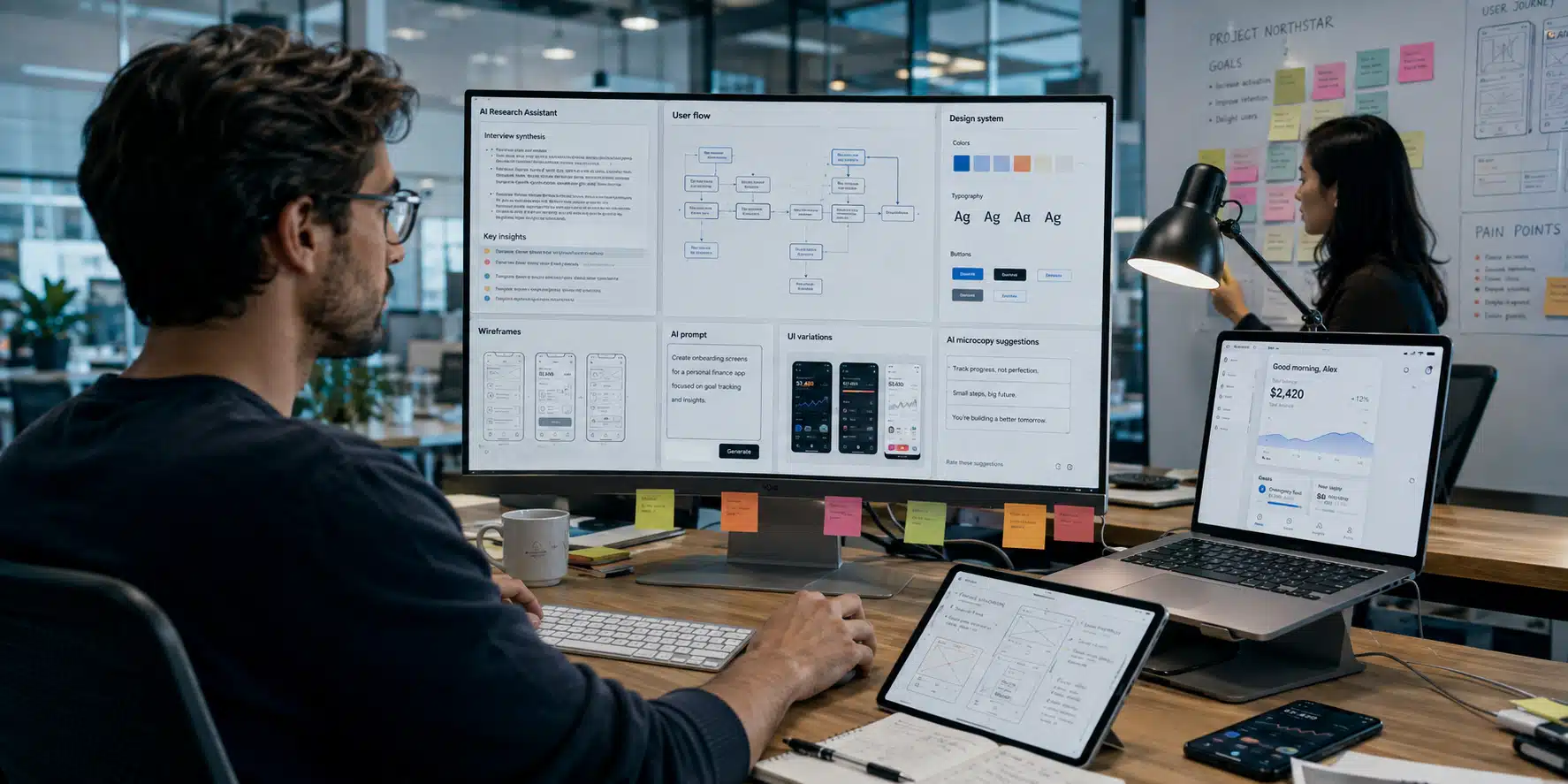
Think of the process as six stages. AI shows up in all of them, but the size of the help is very different.
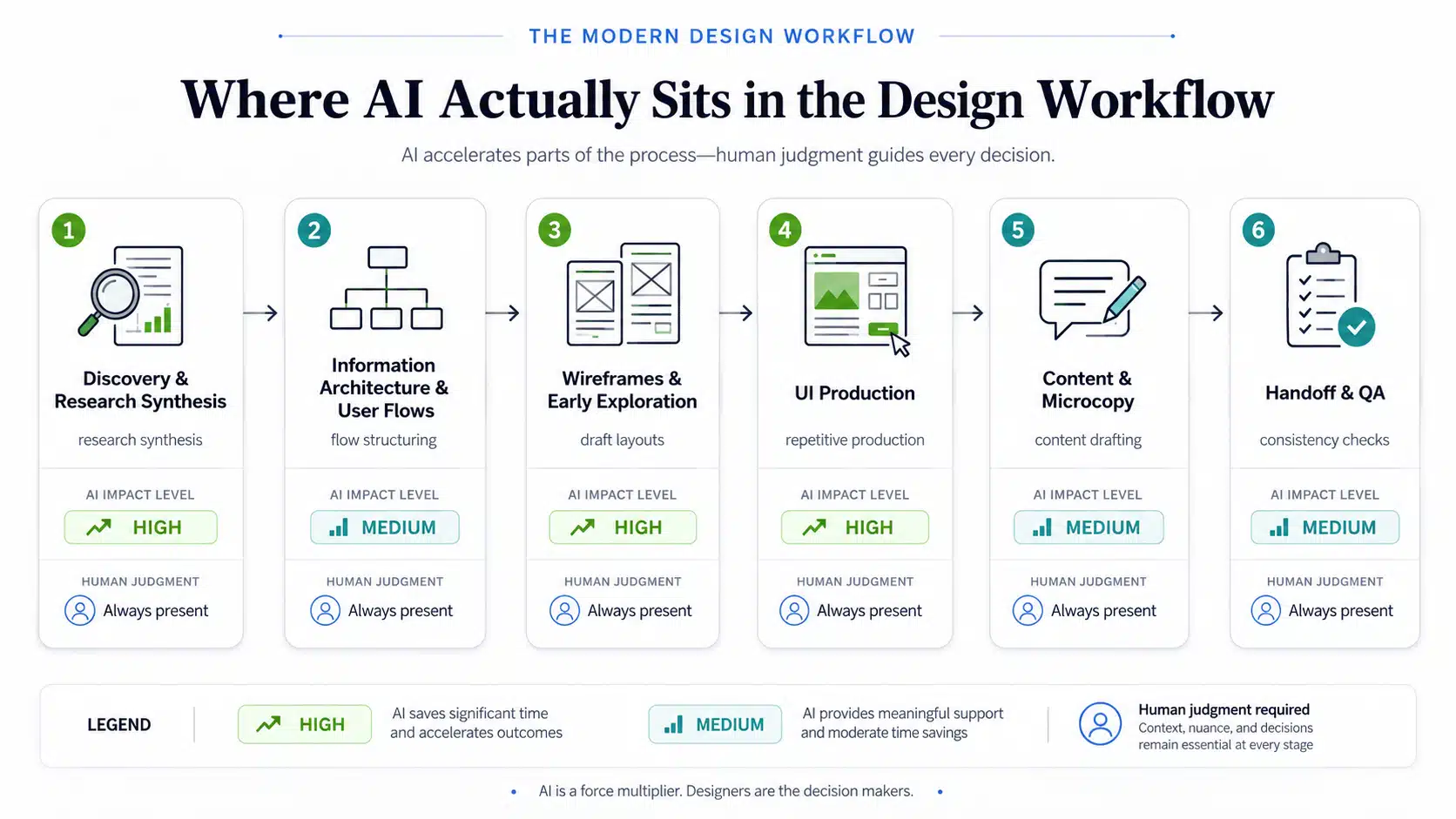
Stage 1: Discovery and research synthesis. AI turns hours of workshop recordings, interview transcripts, and survey answers into structured themes in minutes. This is the single biggest time saving in the whole process. What it cannot do is talk to your users. An AI-generated persona is a hypothesis, not evidence. A synthetic persona has never abandoned a checkout. Time saved: a lot. Days become hours.
Stage 2: Information architecture and user flows. AI proposes flow structures, spots gaps, and drafts edge cases a tired designer might miss. It does not know your business model, your constraints, or which flow your users will actually put up with. Time saved: moderate.
Stage 3: Wireframes and early exploration. AI turns a written description into a rough layout in seconds. Prompt-to-prototype tools now return working, clickable UI from a single sentence. What AI cannot do is judge which of the ten layouts it handed you is right. Time saved: real, with a catch we cover below.
Stage 4: UI production. Background removal, asset generation, variations, style applied across screens, generative fill inside Figma that respects an existing design system. This is where the repetitive hours go. AI cannot build the design system in the first place, and it cannot make the taste-level calls. Time saved: real on repetitive work.
Stage 5: Content and microcopy. AI drafts onboarding text, empty states, error messages, and variations for testing. It does not know your brand voice until you teach it, and it does not know which message a confused user actually needs. Time saved: moderate.
Stage 6: Handoff and QA. AI audits design system consistency, drafts handoff notes, and runs accessibility pre-checks for contrast and structure. One difference matters more than the rest: a pre-check is not a real accessibility audit, and it is not usability testing. Time saved: moderate.
This table shows where the time actually went.
| Stage | AI impact | Still human |
| Research synthesis | High | Talking to real users |
| IA and flows | Medium | Business judgment |
| Wireframes | High | Choosing which one |
| UI production | High | Design system, taste |
| Microcopy | Medium | Brand voice, empathy |
| Handoff and QA | Medium | Real audits, real testing |
In our experience, the gap between stages one and three is where teams get fooled. When we tested prompt-to-prototype tools on a live SaaS project this year, the research synthesis saved us real days, but the pretty wireframe it produced still needed a full day of human judgment before it was worth showing anyone. The tool was fast. The deciding was not.
For the bigger picture on where the field is heading, see our guide to UI/UX design trends for 2026.
What AI has not changed in UX design
This is the part almost nobody writes properly. The parts of design AI has not touched are the parts that decide whether a product works.
Deciding which screens should exist. AI will happily design a screen nobody needs. Scope discipline is a judgment problem, not a generation problem. This has not moved.
Knowing what users actually do. AI-generated personas, quotes, and usability findings are hypotheses. Real participants are still the only source of evidence. This is worth repeating, because in our experience it is the mistake we see most. We tested a synthetic-persona shortcut once, early, and it pointed us confidently at the wrong problem for a week.
Understanding the business behind the product. Why a pricing page has three tiers. Why the enterprise flow needs a human handoff. Why one metric matters more than another this quarter. None of that is in the prompt. In fact, most of it never gets written down at all.
Taste and restraint. Knowing what to remove. AI adds by default. Most good design decisions are subtraction, and subtraction is still a human call.
Accountability. When a flow fails in production, someone has to understand why and own the fix. That is still a person.
The report data backs this up. 80% of designers say human judgment stays essential for creative direction and quality decisions, even as weekly use hits 91% (AI in Design Report 2026, Designer Fund with Foundation Capital). Near-total adoption did not shrink the part of the job that depends on taste.
Here is the line worth holding onto. AI compressed the making. It did not compress the deciding. And the deciding is where the money is, the way it always was. This is the same shift practitioners are naming across the field, from producing to deciding (UX.raspberry, Medium). Figma’s own 2026 survey lands in the same place: speed stopped being the advantage, and judgment became it (Figma, State of the Designer 2026).
The overproduction problem AI created
More options is good, surely? Not anymore. This is the new failure mode, and it caught a lot of teams off guard.
When a designer can generate fifty polished UI variations in seconds, the bottleneck moves. It is no longer a lack of ideas. It is that every option looks valid, functional, and finished, and only two of them actually solve the problem.
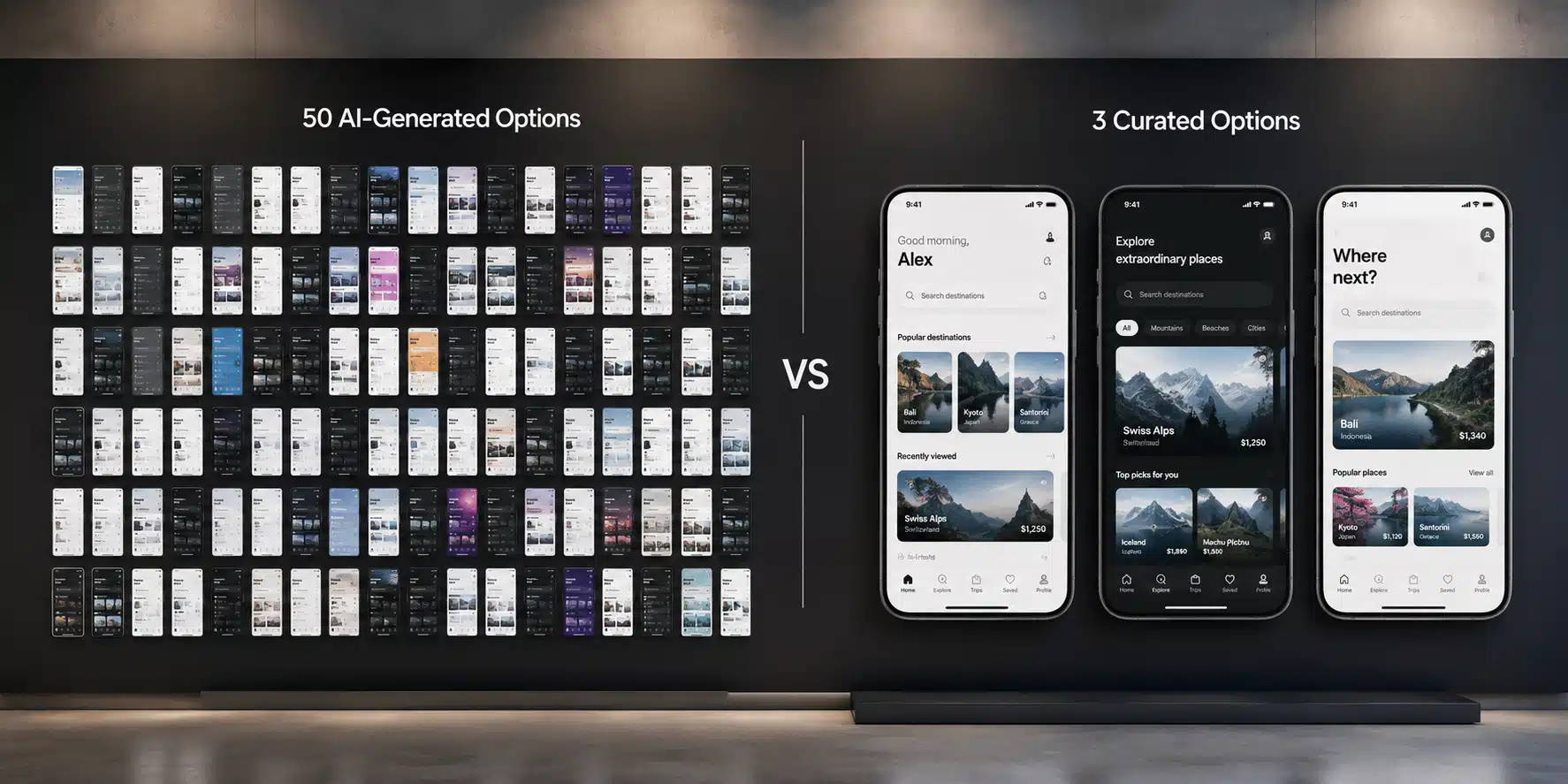
Overproduction has three real costs:
- Review time explodes. Fifty options need fifty judgments.
- Clients anchor on visuals instead of problems. A polished wrong answer is harder to reject than a rough one. Practitioners now call this AI slop, and the trap is that it looks done in sixty seconds (Aakash Gupta, Threads).
- Decision fatigue lands on whoever approves the work. That is usually the founder.
The counter-skill people are starting to name is decision clarity. Decision clarity is the ability to pick the two options out of fifty that actually solve the problem, and to say out loud why the other forty-eight do not. It sounds small. In our experience it is now the most valuable thing a senior designer does in a week. One practitioner guide frames the whole job as a workflow that stops the slop: generate wide, then review and reject hard (Steven Gonsalvez, dev.to).
The rule we use is simple. Generate wide, present narrow. Three options, maximum, each with a stated reason for existing. If a fourth cannot justify itself in one sentence, it does not go in the deck.
The AI UI design tools that actually matter
This is not a list of forty tools. It is the short stack a working team actually uses. The jobs matter more than the logos, because the logos keep changing.
| Job | Tools | Honest note |
| Research synthesis | ChatGPT, Claude | Biggest single time saving |
| Prompt to prototype | Figma Make, v0, Lovable | Output is a starting point, not a deliverable |
| In-file UI work | Figma AI features | Respects an existing design system |
| Copy and microcopy | ChatGPT, Claude | Needs brand voice taught first |
| Accessibility pre-check | Figma plugins, scanners | Pre-check, not an audit |
One honest note about this table. It will age. It has changed twice already this year. Figma’s own AI agent only started reaching designers in May 2026 (Figma agent walkthrough, YouTube). That is why this section is short and the workflow sections are long. The workflow logic outlives the tool names.
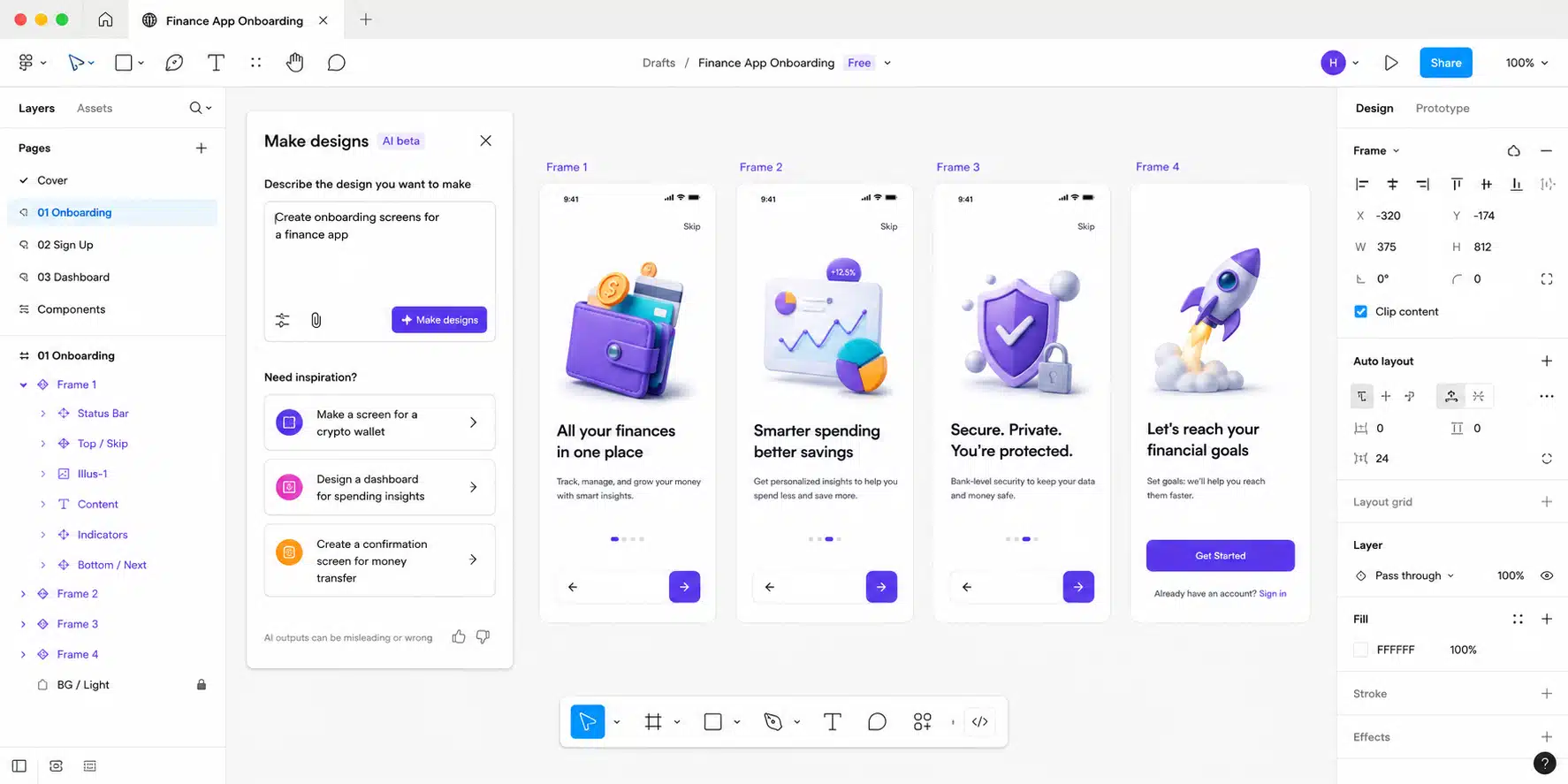
One 2026 development is worth naming on its own: vibe coding. Vibe coding is describing what you want in loose plain language and getting running code back, with no hand-written markup in between. Same-day working prototypes are normal now. The prototype is throwaway. The learning you get from putting it in front of a real user is not. But there is a warning attached. A vibe-coded app built on one popular tool shipped with basic security flaws and exposed its users, a clean reminder that looks-finished and is-finished are different things (as flagged by developers on Hacker News). That is the pattern we watch for. The prototype earns its keep as a learning tool, not as the thing you ship.
What AI means if you are hiring a design agency
Your agency uses AI. Should your quote be lower? This is the founder question, and almost nobody answers it honestly.
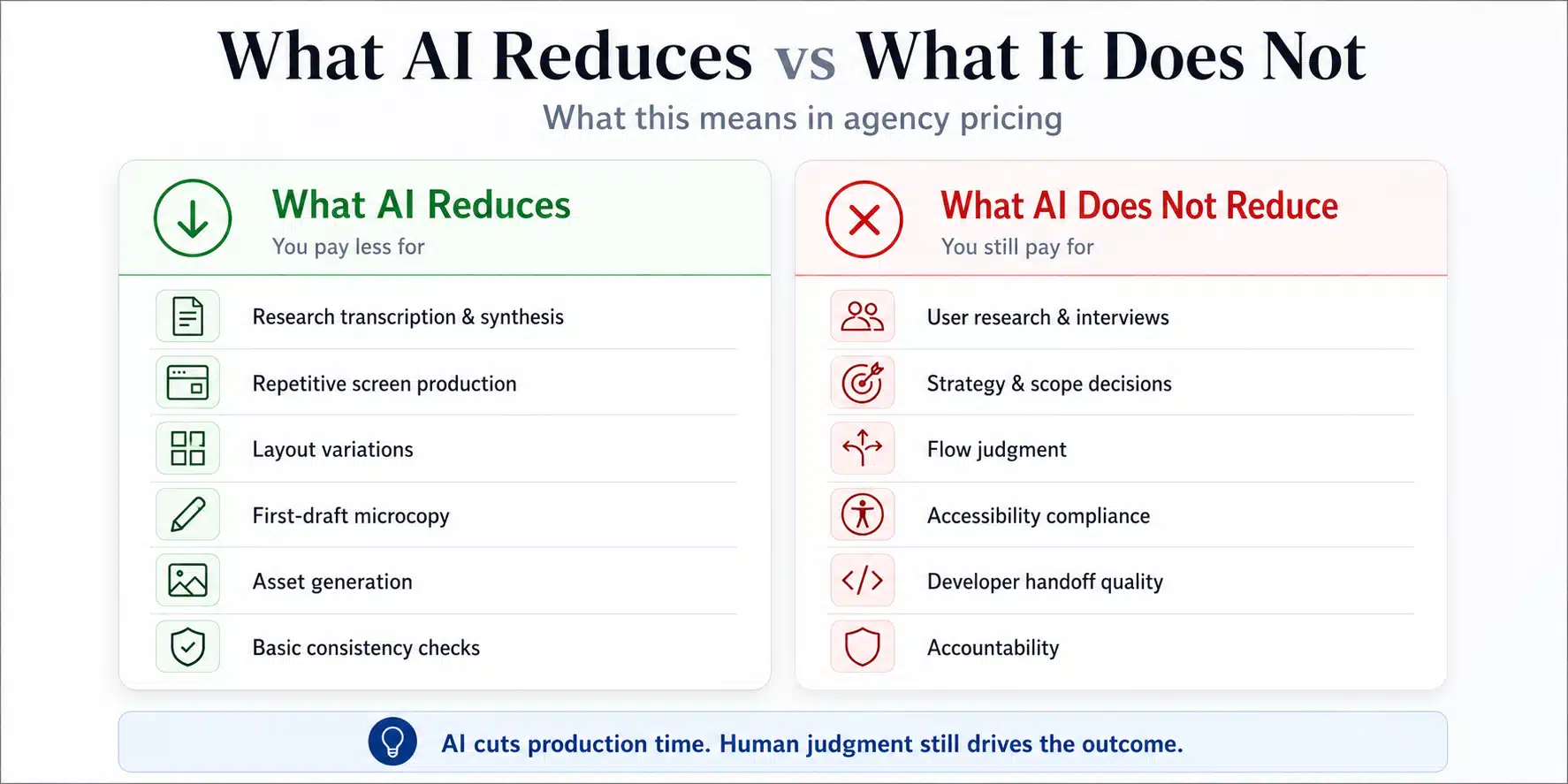
Here is the short answer. In practice, AI lowers the production hours and leaves the expensive part alone. It can transcribe your research, generate assets, lay out variations, and draft first-pass copy, and on a screen-heavy project those savings are real. For example, a marketing site with forty near-identical templates costs less to produce than it did two years ago. But the parts that decide whether a product works did not get cheaper. That means the real user research, the scope calls, the flow judgment, the accessibility compliance, and the developer handoff. None of it was ever about the pixels. As a result, total price moved far less than speed did. What you gain is more options explored and more testing rounds inside the same budget, not a smaller invoice. That is the honest trade, and any studio worth hiring will tell you the same thing.
The answer comes in three parts.
Part 1: What AI legitimately reduces. Production hours. Asset creation, layout variations, research transcription, first-draft copy. On a project heavy with repetitive screens, that saving is real.
Part 2: What it does not reduce. Research with real users. Scope decisions. Flow judgment. Accessibility compliance. Developer handoff quality. And the accountability for whether the thing actually works. On a project that matters, that is most of what you are paying for.
Part 3: What actually happened to pricing. Total design cost has not dropped in proportion, because the expensive part was never the pixels. Where AI shows up in your favor is speed and volume. More options explored, faster turnarounds, more testing rounds inside the same budget.
Now the vendor warning, said plainly. If a studio tells you AI makes design nearly free, they are quoting you the production work and quietly dropping the research and flow decisions that decide whether anyone uses the product. Cheap AI-assisted design is still cheap design. The output looks finished either way, which is exactly what makes it risky. This is the same pattern critics have started calling a new skeuomorphism, where generic flows look good enough to ship and are not (Built In).
Four questions to ask any studio about its AI use:
- Where in your process does AI touch the work, and where does it not?
- Do you test with real users, or synthesized ones?
- Who reviews AI output before it reaches me?
- What did AI change about your pricing, if anything?
The answers separate a studio with a process from a studio with a subscription. For the fuller version of this decision, see our guide on how to choose a UI/UX design agency for your product, and for budgets, our breakdown of mobile app design cost.
The AI feature trap
Same three letters, different problem. This one is not AI in the design process. It is AI bolted onto the product being designed.
The data is blunt. 54% of designers report clients wanting to jump on AI trends with no clear use case (Lyssna, UX Design Trends 2026). In a product, that shows up as an AI feature nobody asked for. It is the most expensive form of trend-chasing this year, because an unwanted AI feature still costs a full design cycle, a full build, and permanent maintenance.
Ask three questions before adding AI to a product:
- What decision does this help the user make faster?
- What happens when it is wrong, and can the user recover?
- Would the user even notice if it were removed?
If the answer to the third one is no, do not build it. Designing genuinely useful AI features is its own discipline, with its own demands around transparency, confidence, and control. For that specialist work, see the best UX design agencies for AI products.



Wondering what AI should change about your quote?
Send us your scope. We will show you exactly where AI saves time on it, and where it does not.
Can AI replace UI/UX designers?
People search this one directly, so let us answer it directly. Not the designers doing the deciding. But we should be honest about who is exposed.
Production-only roles are genuinely at risk, and it does nobody any favors to pretend otherwise. In particular, a designer whose entire value was turning a supplied wireframe into a polished screen is now competing with a tool that does it in seconds. That is a real change, and juniors are feeling it first, since junior work has long been treated as execution (Carly Ayres, Substack).
What became more valuable instead:
- Research, and talking to actual users.
- Scope judgment, and knowing what to cut.
- Systems thinking and design system architecture.
- Explaining decisions to stakeholders.
- Reviewing and rejecting AI output well.
Now the uncomfortable version. AI raised the floor and did nothing to the ceiling. Mediocre output got cheaper and more common. Good judgment got scarcer next to demand, and so it got more valuable.
How Pixelean uses AI
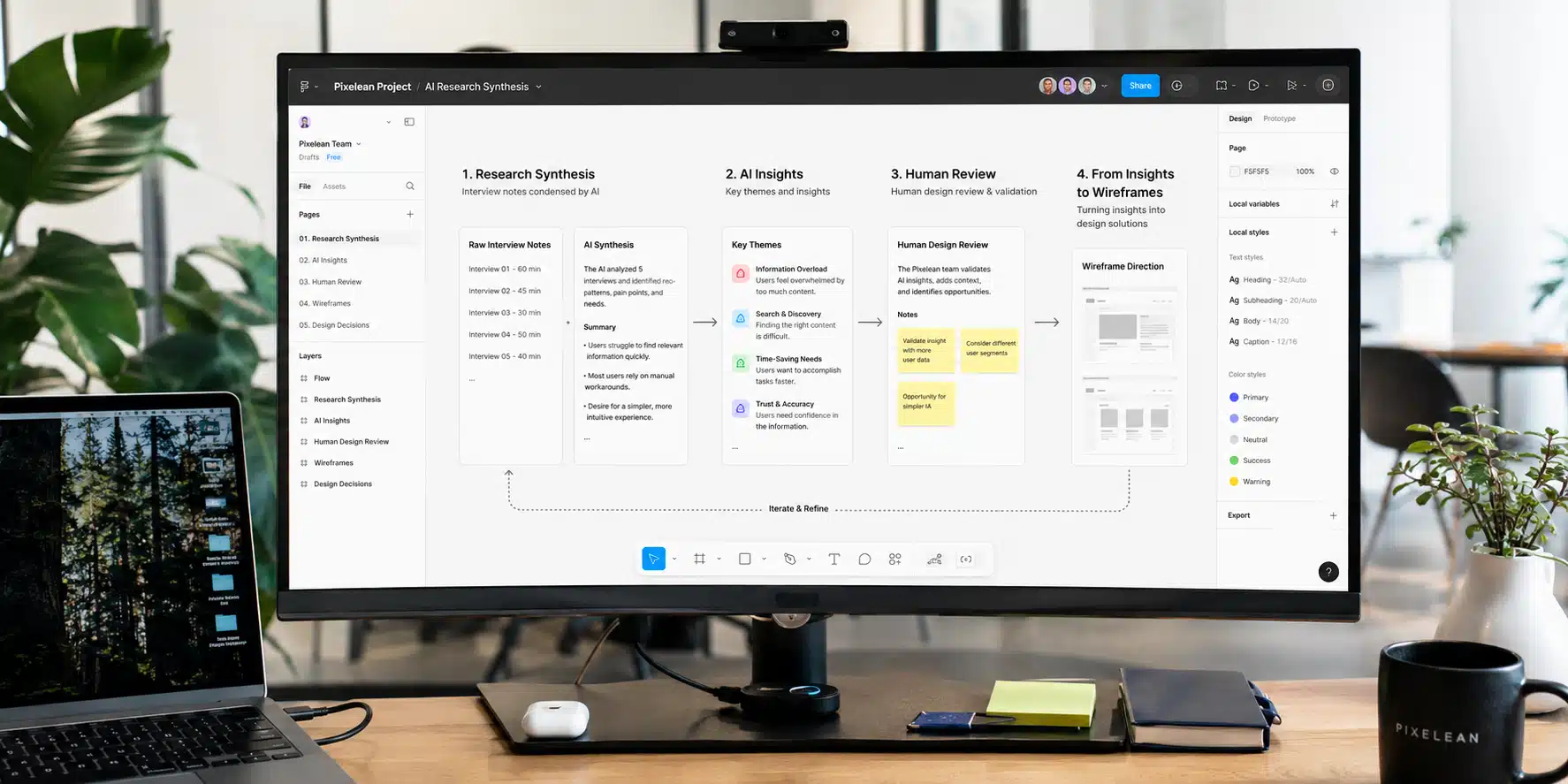
Short and specific, because you should be able to check us against our own advice.
- AI is in our workflow on every project. Mostly research synthesis, asset production, and first-draft copy.
- We do not use AI-generated personas or synthetic users as evidence. Research means real people.
- Every AI output passes a named human reviewer before it reaches a client.
- We generate wide and present narrow. Three options, each with a reason.
- AI changed our speed and our iteration volume. It did not change what we charge for judgment, because that part still takes the same person doing the same thinking.
See how we put this to work in our UI/UX design services.
Frequently asked questions
How do designers use AI in UI/UX design?
Designers use AI most heavily for research synthesis, turning interviews and workshops into structured themes, and for production work like asset generation, layout variations, and first-draft microcopy. Prompt-to-prototype tools also produce working early wireframes. AI is not a substitute for real user research, since AI-generated personas and findings are hypotheses rather than evidence.
Can AI replace UI/UX designers?
Not the ones doing research, scope decisions, and systems work. Production-only roles are genuinely exposed, since turning a supplied wireframe into a polished screen is now close to automated. What became more valuable is judgment: knowing which screens should exist, what to cut, and why a flow fails. AI compressed the making, not the deciding.
What are the best AI tools for UI/UX design in 2026?
The practical working stack is ChatGPT or Claude for research synthesis and copy, Figma’s native AI features for in-file production, and one prompt-to-prototype tool such as Figma Make, v0, or Lovable for early functional prototypes. Tool names change often, so the workflow logic matters more than the specific list.
Does AI make UI/UX design cheaper?
It reduces production hours, which shows up on projects heavy with repetitive screens. It does not reduce the cost of user research, scope decisions, accessibility compliance, or developer handoff, which is most of what a serious project involves. In practice, AI has changed speed and iteration volume more than it has changed total price.
Should my design agency charge less because it uses AI?
Ask what AI touches in their process and what it does not. Legitimate savings appear in production work. If a studio claims AI makes design nearly free, they are usually pricing the production and dropping the research and flow decisions that decide whether the product works.
Is AI-generated user research reliable?
No. AI-generated personas, quotes, and usability findings are hypotheses, not evidence. They can help structure a research plan or draft synthesis questions, but real participants, consent, and traceable sources are still essential. Treating synthetic research as real is one of the fastest ways to design confidently in the wrong direction.