Open any list of the best Webflow agencies. Check who published it. Nine times out of ten it is a Webflow agency, and nine times out of ten they sit on their own list. That does not make the picks wrong. It means nobody in that article has a reason to tell you the parts that complicate the sale.
Here are two. Webflow cannot be self-hosted, so leaving it later is a rebuild, not a migration. And the single decision that decides whether your site still works in two years, how the team names and structures its classes, is invisible in every portfolio you will open.
Full disclosure. Pixelean builds on Webflow and on WordPress. We are not a Webflow-only shop, so we have no reason to tell you Webflow is always right. Read this as a working studio explaining what it checks before it signs, and what it checks before it recommends the platform at all. That is the honest version of how to choose a Webflow agency.
Key takeaways
- Almost every “best Webflow agency” list is written by a Webflow agency that appears on it.
- The decision that matters most is invisible in the portfolio: how the team names and structures its classes.
- Projects run from about $2,000 for a template build to $150,000 and up for enterprise, depending on scope.
- Webflow cannot be self-hosted. A static export leaves the CMS, the forms, and the interactions behind.
- Certification tells you a team passed a review, not that it fits your project.
- One question sorts advisors from vendors: when do you recommend against Webflow?
Does your project actually need Webflow?
Most Webflow projects are the right call. Some are a platform choice made because the agency only builds one thing.
Put this question first, because the answer changes who you should hire. Webflow fits when your marketing team needs to edit the site every week without a developer, when design fidelity matters and you want the Figma built exactly, when you want hosting and SSL and security handled for you, and when the thing you are building is a marketing site rather than an application.
Webflow fits badly when you sell at volume and need deep ecommerce, when you need a plugin that already solved your problem, when you run a large content operation with thousands of items and complex editorial roles, or when you have to self-host for compliance or for cost at scale.
Here is the test. Ask any Webflow agency when they recommend against Webflow. If the answer is never, you are talking to a vendor. For the platform decision itself, we wrote the honest version in Webflow vs WordPress.
Decide what you are hiring before you shortlist
The model you pick sets your real risk, and the risk is different for each one.
A freelancer is right when the scope is small, defined, and you can judge the result yourself. It is wrong when the site carries revenue or you need structure that survives a handover. A small studio is right when you want senior attention and a real process, and wrong when you need enterprise procurement and signed service levels. An enterprise partner is right for multi-region, complex CMS, and compliance, and wrong when you are a startup with a ten-page site. An in-house hire is right when you ship pages every week, and wrong when the work is bursty, which describes most companies.
If you want to hire a Webflow developer instead of a team, the trade is continuity, not skill. A good freelancer builds a good site. The question is who answers the email in eight months.
| Model | Typical cost | Best for | Main risk |
| Freelancer | $40 to $120 an hour | Small, defined scope | Continuity |
| Small studio | $75 to $175 an hour | Business-critical sites | Capacity |
| Enterprise partner | $150 to $300+ an hour | Scale, compliance | Overbuying process |
| In-house | $60,000 to $110,000 a year | Weekly shipping | Idle capacity |
The build question that decides everything
In Webflow, the thing that decides whether your site stays workable is not on the front end. It is how the team names and organizes its classes.
Two sites can look identical and be completely different to live with. The difference sits in the Designer, where you never look, and it shows up the first time you ask for a change. There are three approaches, and you can tell them apart in one conversation.
Ad-hoc classes. Names invented as the designer goes. Div block 47. Heading style 12. One-off styles per page. It is the fastest way to build and the most expensive way to own, because every new page gets slower, changes break unrelated sections, and the next team quotes a rebuild instead of an edit.
A documented naming system. One convention applied across the whole project, so any developer can pick it up. Client-First, the system Finsweet built and thousands of Webflow developers now use, is the common example, though the specific system matters less than having one at all (Finsweet). It slows the first week and speeds up every week after.
Heavy custom code embeds. Functionality Webflow does not do natively, bolted in through scripts. A few deliberate additions are fine. The problem starts when embeds carry core functionality, because they break silently, they are invisible to your team, and only the person who wrote them knows where they are.
| Approach | Build speed | Maintainability | Handover | Risk |
| Ad-hoc classes | Fastest | Poor | Rebuild | High |
| Naming system | Slower start | Strong | Clean | Low |
| Heavy embeds | Varies | Fragile | Depends on docs | Medium to high |
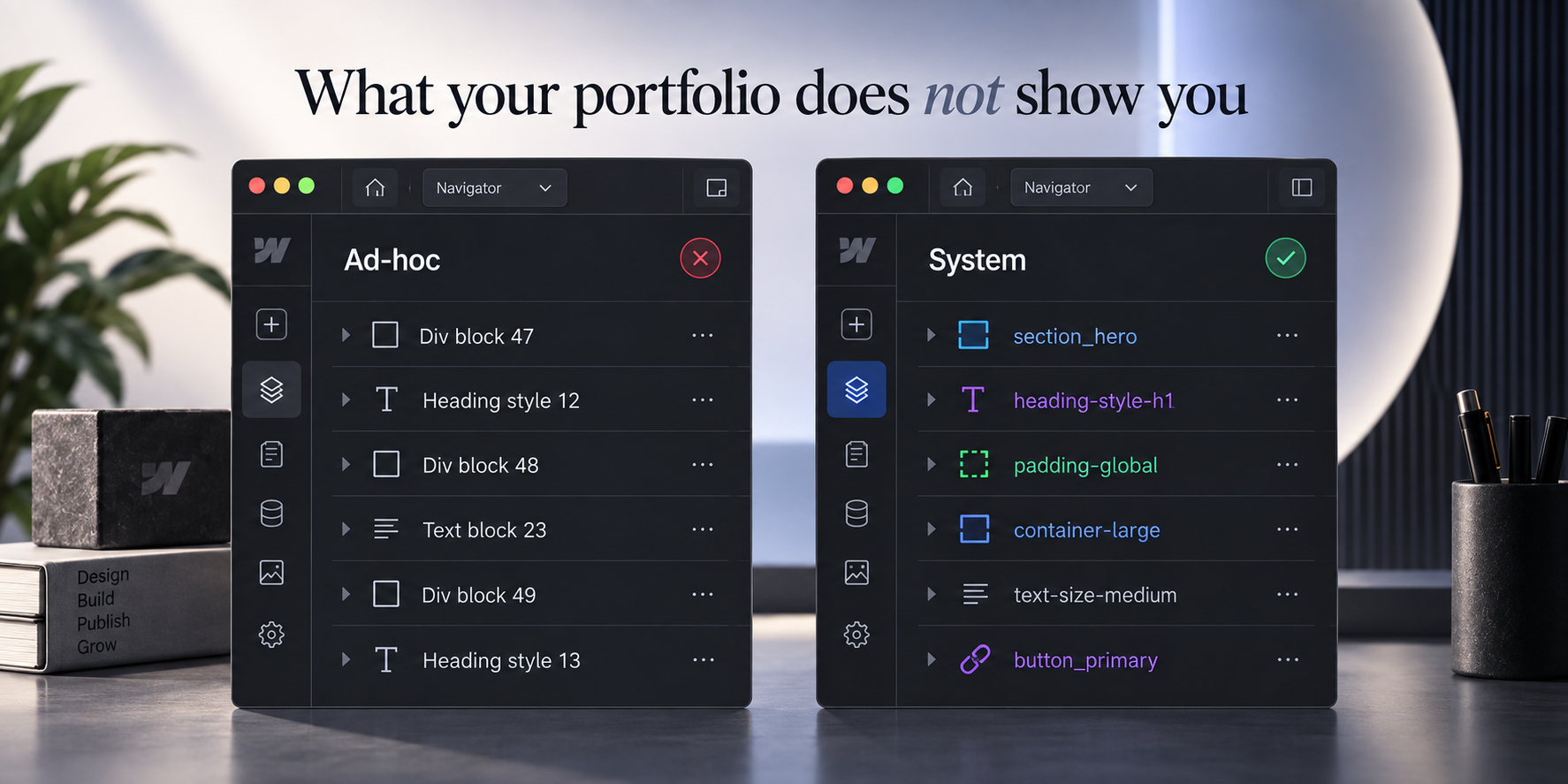
Ask one thing: “What naming or structure system do you use, and can you walk me through it on a live project?” A team with a system will show you inside ten minutes. A team without one will talk about design instead.
Speed connects here. Google treats a fast page as Largest Contentful Paint under 2.5 seconds, Interaction to Next Paint under 200 milliseconds, and Cumulative Layout Shift under 0.1 (Google web.dev, retrieved 2026-09-05). Webflow gives you a fast starting point. A site loaded with embeds and unoptimized media hands it back.
The pattern we see when we inherit a Webflow project is consistent. The front end looks fine and the Designer is unusable. That is where a small change turns into a quote.
What Webflow actually limits
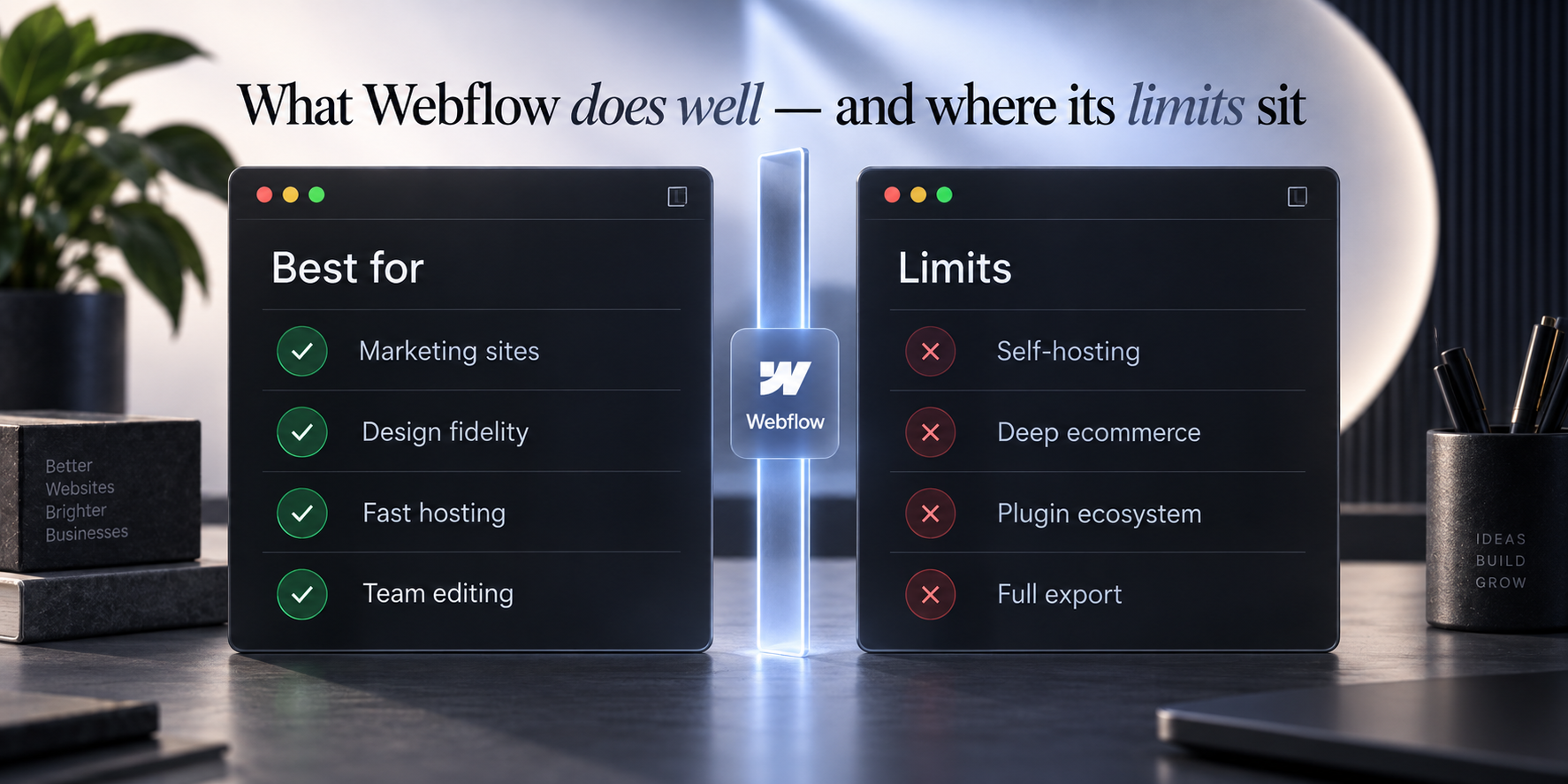
None of these make Webflow a bad choice. They make it a choice with edges, and you should know where the edges are before you build against them.
CMS limits. Webflow plans cap the number of CMS collections and items. For a marketing site the ceiling is generous. For a large content operation it is real, and it is worth checking against your three-year plan rather than today’s page count. Webflow restructured its plans in 2026, so confirm the current caps on webflow.com/pricing before you commit. Do not take a number from a blog, ours included.
Form submissions. Plans include a monthly submission allowance. High-volume lead generation usually routes forms to a third-party service instead. Confirm the current limit the same way.
Ecommerce depth. Fine for a focused product line. Not the tool for a large catalogue with complex tax, inventory, or fulfilment logic.
No self-hosting. This is the big one. You cannot take a Webflow site and run it on your own server. Hosting is part of the product.
The export reality. Webflow lets you export static HTML, CSS, and JavaScript. It does not export the CMS, the forms, or the hosted interactions. So an export is a snapshot of the front end, not a working site you can move. Webflow shipped an official connection for AI tools in 2026 that can read and write parts of a site, which softens the “no access” story, but it does not change the export. Your forms still stop the day you leave, because they post to Webflow’s own endpoint (Migrate Lab). Leaving is still a rebuild.
Does a Webflow expert badge mean anything?
Certification is a filter, not a decision. It removes the bottom of the market. It does not identify the right partner for your site.
Webflow runs a partner program with tiers. It moved to a points-based structure and has been renamed more than once, so confirm the current tier names on Webflow’s partner page before you weigh them, because a guide that recites old names is a guide written a year ago. A Webflow Expert or certified partner has built real projects, passed a review, and cared enough about the platform to apply.
What the badge does not tell you: whether they name classes consistently, document a handover, answer your email in eight months, or ship anything like your site. A certified team with no experience in your category is a worse fit than an uncertified studio that has shipped three sites like yours. Use the badge to cut the list, then ignore it.
Will an AI even mention them?
More buyers now ask ChatGPT, Perplexity, or Gemini who to hire, and most Webflow agencies do not show up in the answer.
A Webflow partner tested the major AI engines against the public directory of certified agencies. Almost none came back. It was one informal run rather than research, so hold it loosely, but the pattern is worth knowing. The same run found that pages with clear question-and-answer blocks and tables got cited more often, and that a surprising number of good agencies quietly block AI crawlers in their robots file (community research, r/webflow). Treat those figures as one practitioner’s measurement, not a settled statistic.
This matters for two reasons. It is a fast quality read on an agency, because a team that cannot get itself cited may struggle to get you cited. And it tells you what a modern build should include, structured data, direct answers near the top of a page, and a crawler policy that lets the right bots in. When you review a portfolio, paste the client’s domain into an AI assistant and ask about them. Silence is data.
What a good Webflow development agency delivers
The scope is the product. If it is vague, the site will be too.
A real Webflow development agency covers discovery before design, so the build solves a defined problem. Information architecture and page structure. Design, theirs or your Figma built faithfully. A documented class and component system. CMS collections structured for how your team publishes, not for how the developer built it. Performance in scope, with Core Web Vitals targets named. On-page SEO foundations, including URL structure and redirect planning when it replaces an existing site. Analytics and conversion tracking, set up and verified. Training so your team can edit without calling anyone. And a defined support window after launch.
The Webflow-specific one is the CMS. Ask how the collections are structured for your editors, not for the developer. A collection design that makes sense to the person who built it and confuses the person publishing every Monday is a design failure that shows up every Monday. If this build replaces an existing site, redirect planning is not optional, and it is one of the fastest ways to lose traffic. We spelled out the stakes in website redesign cost.



Not sure how your current Webflow site was built?
Send us the URL. We will tell you what is under it and what that means for your next redesign.
Questions to ask, and the red flags
Seven questions separate a partner from a portfolio.
- What naming or structure system do you use, and can you show me inside a live project?
- How much of the functionality sits in custom code embeds?
- How will the CMS be structured for our editors?
- What Core Web Vitals scores are you targeting?
- Who owns the Webflow workspace and site when the project ends, and how does transfer work?
- What does handover include, in writing?
- When do you recommend against Webflow?
The last one is the tell. A team that has never recommended against its only platform is selling, not advising.
The red flags are just as clear. A price before any scope conversation. A portfolio where every site looks structurally identical, which usually means one template with new colours. No answer on class structure. No references they will let you contact. Core functionality buried in undocumented embeds. Hosting and workspace held under their account with no transfer plan. Any one is a yellow flag. Two together is your answer. The same discipline applies when you choose a UI/UX design agency.
What a Webflow agency costs
Scope moves the number, not the platform.
Published industry ranges for Webflow agency cost sit between roughly $5,000 and $80,000 depending on scope, with enterprise builds higher (CL Creative, Digi Hotshot). Here is how that breaks down in practice.
| Project | Cost | Timeline |
| Template customisation | $2,000 to $6,000 | 1 to 3 weeks |
| Small marketing site (5 to 10 pages) | $6,000 to $15,000 | 3 to 6 weeks |
| Custom business site (10 to 25 pages) | $15,000 to $40,000 | 6 to 12 weeks |
| SaaS marketing site with CMS | $25,000 to $60,000 | 8 to 16 weeks |
| Enterprise or multi-region | $60,000 to $150,000+ | 4 to 8 months |
What moves the number: unique page templates, CMS complexity, custom interactions and animation, and whether your copy and imagery are ready. Three costs people forget: the Webflow site plan and workspace seats, billed by Webflow directly; third-party tools for forms, search, or memberships; and a retainer or hourly support line for changes after launch.
One warning. A quote around $2,000 for a full site means a template with your logo on it. That is a legitimate product for a side project. It is not the site that represents a business. For the wider market picture, see what to expect from web design agency pricing in 2026.
Who owns the site when you leave
On Webflow, whoever controls the workspace controls the site.
This is where Webflow differs from WordPress in one way that matters. On WordPress you own the files and can move hosts. On Webflow, the site lives in a Webflow workspace, and access to that workspace is the whole game.
Settle six things before you sign:
- Is the site built in your Webflow workspace, or theirs?
- If theirs, what is the transfer process, and does it cost anything?
- Who holds the billing, so the site does not go down because a card expired on someone else’s account?
- Who owns the design files, and does that transfer on final payment?
- Where does custom code live, and is it documented?
- Is the domain registered in your name?
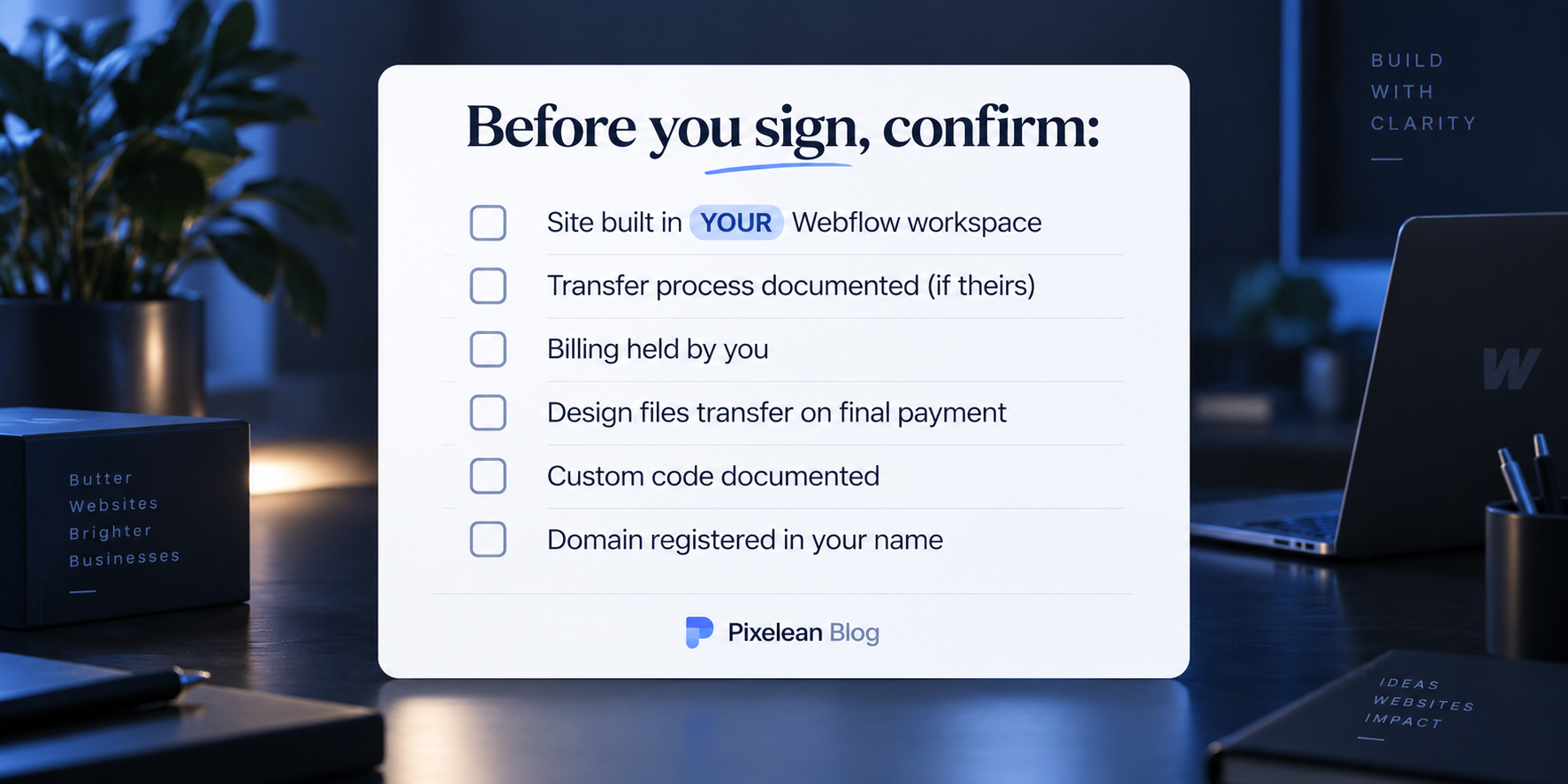
The cleanest arrangement is simple. The site sits in your workspace from day one, the agency is invited as a collaborator, and access can be removed the day the relationship ends. Teams that resist this are protecting something other than your project. Clients rarely call because they overpaid. They call because they cannot get into their own site. The same ownership fight plays out on the other platform, which we cover in how to choose a WordPress development agency.
When Webflow is the wrong choice
A Webflow-only agency cannot write this section honestly. We can, because we also build on WordPress.
Webflow is the wrong call when you sell at volume, where WooCommerce or Shopify handle scale, tax, and inventory logic that Webflow does not. When you run a large content operation with thousands of items, multiple editorial roles, and real workflow. When you need to self-host for compliance, data residency, or cost at scale. When you are building an application rather than a website. And when your budget covers the build but not the platform, which is a recurring bill, not a one-time fee. Framer now pulls some of the design-led, single-page work that used to default to Webflow. Webflow still runs the larger base, around 820,000 production sites to Framer’s 170,000, and holds the CMS and enterprise work, so Framer mainly belongs on the shortlist for landing pages (Flow Ninja).
It is the right call when the site is a marketing site, your team edits it often, design fidelity matters, and you would rather never think about security patches again. We build on both, so when we tell you Webflow is the wrong call for your situation, we are not protecting a business model. The full comparison lives in Webflow vs WordPress.
How Pixelean builds on Webflow
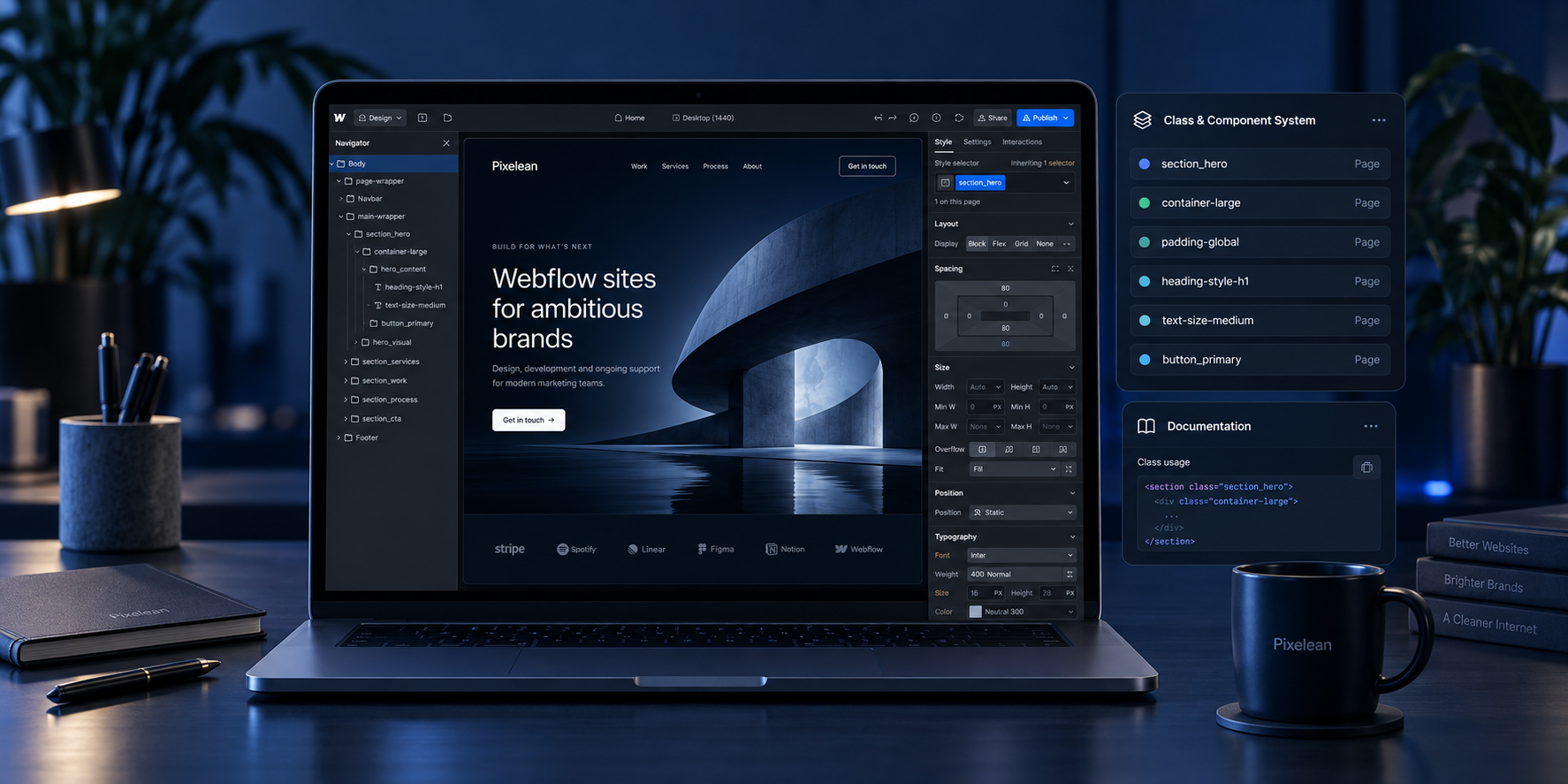
We do this work, so read this as disclosure, not a neutral verdict.
- A documented class and component system on every project, so the next person can work in it.
- CMS collections structured around how your team publishes, not how the developer built it.
- Core Web Vitals treated as part of the build, not a cleanup pass.
- Custom code kept minimal and documented where it exists.
- The site lives in your workspace, with us as collaborators.
- We also build on WordPress, so we will tell you when Webflow is not the right call.
How to run your shortlist
Three phases turn a pile of portfolios into a decision.
Phase 1, cut the list. Confirm Webflow is right for the project. Filter to teams with certification and category experience. Drop anyone who quotes before scope.
Phase 2, open the hood. On each finalist, ask to see a live project in the Designer, ask the seven questions above, and paste a past client’s domain into an AI assistant to see if the work is even visible. Watch for the two-red-flag rule.
Phase 3, settle ownership. Before signing, agree in writing where the site lives, how transfer works, who holds billing, and what handover includes. Pick the team that asked the sharpest questions about your business, not the one with the slickest deck.
Frequently asked questions
How much does a Webflow agency charge?
A small marketing site of five to ten pages typically runs $6,000 to $15,000. A custom business site of ten to twenty-five pages runs $15,000 to $40,000. SaaS marketing sites with a working CMS run $25,000 to $60,000, and enterprise builds go higher. Published industry ranges sit between roughly $5,000 and $80,000 depending on scope. Webflow’s own hosting plan is billed separately, directly by Webflow.
What should I ask a Webflow agency before hiring?
Ask what naming or structure system they use and to see it in a live project, how much functionality sits in custom code embeds, how the CMS will be structured for your editors, who owns the workspace when the project ends, and when they recommend against Webflow. That last question separates an advisor from a vendor.
Does Webflow certification matter?
It is a useful filter, not a decision. Certification means a team has shipped real projects and passed a review. It does not tell you whether they name classes consistently, document a handover, or have built anything resembling your project. A certified team with no experience in your category is a worse fit than an uncertified studio that has shipped three sites like yours.
Can I leave Webflow later?
Not easily. Webflow cannot be self-hosted, and while you can export static HTML, CSS, and JavaScript, the export does not include the CMS, the forms, or the hosted interactions. Leaving Webflow is closer to a rebuild than a migration. That trade is fine for most marketing sites, but it should be a decision you make knowingly.
Should I hire a Webflow freelancer or an agency?
Match the model to how continuous the work is. A freelancer suits small, defined projects where you can judge quality yourself. An agency suits sites that carry revenue, projects with integrations, or anything with several stakeholders. The real risk with a freelancer is continuity, not skill.
Who owns my Webflow site after the project ends?
You should. The cleanest arrangement is that the site sits in your Webflow workspace from day one, with the agency invited as a collaborator. Confirm before signing where the site lives, how transfer works if it is in their workspace, who holds billing, and whether design files and custom code transfer on final payment.
How long does a Webflow site take to build?
A small marketing site takes three to six weeks. A custom business site of ten to twenty-five pages takes six to twelve weeks. SaaS marketing sites with a full CMS run eight to sixteen weeks. Timelines depend heavily on how quickly content and feedback arrive from your side.
The bottom line
The platform is the easy part. The agency is where it goes wrong, and the decision hides where you never look: the class system in the Designer and the name on the workspace, not the homepage in the portfolio. Judge the build, not the screenshots. Own your workspace from day one. And ask every shortlist the one question that sorts advisors from vendors: when do you recommend against Webflow?
Ready to build on Webflow without the lock-in?
Pixelean builds fast, maintainable Webflow sites for startups and growing businesses around the world, in your own workspace, not ours. If you want a Webflow build you can actually leave, send us the URL of your current site, and we will tell you what it is costing you.
Sources
- Google web.dev, Core Web Vitals thresholds (retrieved 2026-09-05)
- Finsweet, Client-First style system
- Migrate Lab, what leaving Webflow actually involves
- CL Creative, Webflow agency pricing ranges
- Digi Hotshot, Webflow agency cost tiers 2026 ($2,000 to $250,000+)
- Flow Ninja, Framer vs Webflow 2026
- r/webflow community research, AI answer visibility study (one practitioner’s dataset)
- Webflow, current pricing, plan limits, and partner program